Photo by Wafiq Raza on Unsplash
Master Remote Communication: 10 Essential Tips for Freelancers
Working with remote clients and teams has become the norm for freelancers worldwide. But here's the challenge: without face-to-face interaction, even small communication gaps can lead to missed deadlines, frustrated clients, and lost opportunities. The good news? Mastering remote communication isn't complicated when you know the right strategies.
Whether you're new to freelancing or looking to strengthen your client relationships, these practical tips will help you communicate more effectively, build trust faster, and create the kind of professional reputation that leads to repeat business and referrals.
Set Clear Communication Expectations From Day One
The foundation of successful remote work starts before you even begin the project. During your initial conversations with clients, establish clear communication guidelines that work for both parties.
Discuss and agree on:
- Preferred communication channels (email, Slack, video calls, project management tools)
- Response time expectations (within 24 hours, same business day, etc.)
- Regular check-in schedules (daily updates, weekly calls, milestone reviews)
- Time zone considerations and availability windows
- Emergency contact procedures for urgent matters

For example, if you're a graphic designer working with a client in a different time zone, you might agree to send daily progress updates via email by 5 PM your time, with a weekly video call every Tuesday at 10 AM their time. This clarity prevents the frustration of waiting for responses or missing important updates.
Choose the Right Communication Channel for Each Message
Not all messages deserve the same treatment. Using the wrong channel can make you seem unprofessional or create unnecessary confusion. Here's a practical framework for choosing the right medium:
Email is best for:
- Project proposals and contracts
- Detailed explanations and documentation
- Formal updates and deliverables
- Information that needs to be searchable later
- Communication that requires a paper trail
Instant messaging (Slack, WhatsApp) works well for:
- Quick questions with simple answers
- Status updates and brief check-ins
- Sharing links or files for immediate review
- Casual team coordination
- Time-sensitive but non-urgent matters
Video calls are ideal for:
- Project kickoffs and onboarding
- Complex discussions requiring back-and-forth
- Presentations and demonstrations
- Building rapport and strengthening relationships
- Resolving misunderstandings or conflicts
Project management tools (Asana, Trello) suit:
- Task assignments and tracking
- Progress updates tied to specific deliverables
- Collaborative work and feedback loops
- Centralized project documentation
Write Clear, Concise Messages That Get Results
Remote communication lives or dies by the quality of your written messages. Vague or rambling emails lead to confusion, while crystal-clear messages save everyone time and prevent costly mistakes.
Follow this structure for professional messages:
- Start with a clear subject line that summarizes the purpose
- Open with context if needed ("Following up on our Tuesday call...")
- State your main point or question in the first paragraph
- Provide necessary details in organized bullet points or short paragraphs
- End with a clear call-to-action ("Please confirm by Friday" or "Let me know which option you prefer")
Compare these two examples:
Weak: "Hi, I was thinking about the project and had some ideas. What do you think about maybe changing some things? Let me know."
Strong: "Hi Sarah, I've reviewed the homepage mockup and have three suggestions that could improve user engagement:
- Moving the CTA button above the fold
- Reducing the hero image size by 30% for faster loading
- Adding customer testimonials in the second section
Could we schedule a 15-minute call Thursday to discuss? I'm available 2-4 PM EST."

Master the Art of Active Listening in Virtual Settings
Listening might seem passive, but in remote work, it's an active skill that builds trust and prevents expensive mistakes. When you're not in the same room, you miss body language cues and casual conversations that provide context.
Practice active listening by:
- Taking notes during video calls and meetings
- Repeating back key points to confirm understanding ("So if I understand correctly, you need...")
- Asking clarifying questions before starting work
- Summarizing action items at the end of each conversation
- Following up in writing to document verbal agreements
After important calls, send a brief email summarizing what you discussed and the next steps. This simple habit has saved countless freelancers from scope creep and misaligned expectations.
Provide Regular Updates Without Being Asked
One of the biggest complaints clients have about remote freelancers is the "black box" effect where they don't know what's happening until the deadline arrives. Combat this by being proactive with updates.
Create a simple update routine:
- Daily/weekly progress reports for longer projects
- Milestone notifications when you complete key phases
- Early warnings if you encounter obstacles or delays
- Preview shares to gather feedback before final delivery
You don't need to write lengthy reports. A simple message like this works perfectly:
"Week 2 Update: Completed user research phase (interviews with 8 participants). Starting wireframe designs tomorrow. On track for our March 15 deadline. Will share initial concepts by Friday for your feedback."
Clients who receive regular updates feel confident in your work and are far more likely to hire you again.
Use Visual Communication to Bridge the Distance Gap
Sometimes words aren't enough, especially for complex ideas or technical feedback. Visual communication tools help you explain concepts clearly and reduce misunderstandings.
Leverage these visual tools:
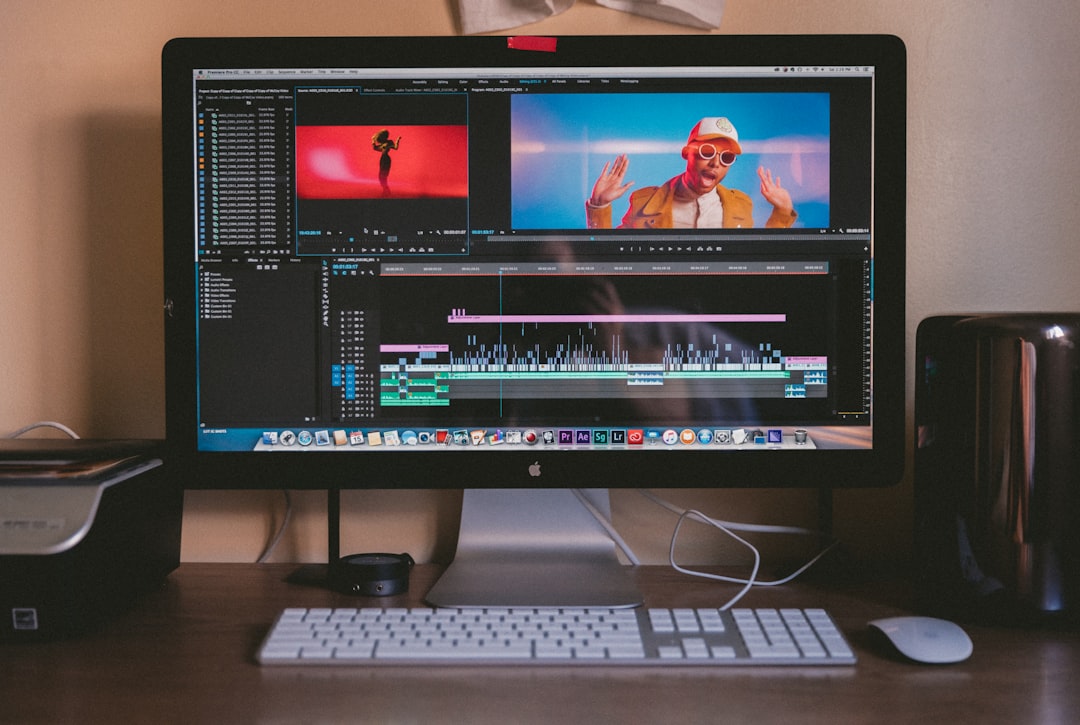
- Screen recordings (Loom, Vidyard) for walkthroughs and tutorials
- Screenshots with annotations to highlight specific elements
- Quick video messages for personalized updates
- Mockups and prototypes to visualize ideas before building
- Diagrams and flowcharts for process explanations
For example, instead of writing a 500-word email explaining website navigation changes, record a 2-minute screen share walking through your proposed updates. It's faster for you to create and easier for your client to understand.
Navigate Time Zone Differences Like a Pro
Working across time zones is both an opportunity and a challenge. Handle it professionally and you'll stand out from freelancers who treat it as an inconvenience.
Smart time zone strategies:
- Display your availability in multiple time zones in your email signature
- Use tools like World Time Buddy to schedule meetings
- Build overlap hours into your schedule for real-time collaboration
- Record meetings for team members who can't attend live
- Set up asynchronous workflows that don't require immediate responses
- Be explicit about which time zone you're referencing ("3 PM EST" not just "3 PM")
Consider this approach: If you're in New York and your client is in London, you might adjust your schedule to start work an hour earlier, creating a 4-hour overlap window for real-time communication. This small adjustment shows commitment and makes collaboration smoother.
Handle Difficult Conversations With Professionalism
Not every remote conversation is easy. Whether you're discussing scope changes, deadline extensions, or payment issues, handling difficult topics professionally separates great freelancers from average ones.
When facing challenging conversations:
- Choose video over text for sensitive topics to add human connection
- Prepare your points in advance but remain open to dialogue
- Focus on solutions rather than problems or blame
- Stay calm and professional even if emotions run high
- Document outcomes in writing after the conversation
- Follow up to ensure issues are truly resolved
If a client requests major changes outside the original scope, don't fire off a frustrated email. Instead, schedule a call and approach it constructively: "I want to make sure we deliver exactly what you need. Let's discuss how these changes fit into our timeline and budget, and find the best path forward."
Build Rapport and Trust Through Consistent Presence
Remote work can feel transactional if you only communicate about tasks and deadlines. The best freelancer-client relationships include elements of genuine connection and trust-building.
Strengthen relationships by:
- Starting calls with brief personal check-ins (without overdoing it)
- Sharing relevant articles or resources that might help your client
- Celebrating project milestones together
- Being transparent about challenges and your approach to solving them
- Showing genuine interest in your client's business goals
- Maintaining consistency in your communication style and reliability
Remember, people hire freelancers they trust and enjoy working with. A few minutes spent building rapport can lead to long-term partnerships worth thousands of dollars.
Leverage Technology Without Letting It Overwhelm You
The right tools can transform your remote communication, but too many tools create chaos. Focus on mastering a core set that covers your essential needs.
Essential communication stack for most freelancers:
| Tool Category | Purpose | Popular Options |
|---|---|---|
| Video Conferencing | Face-to-face meetings | Zoom, Google Meet, Microsoft Teams |
| Project Management | Task tracking, collaboration | Asana, Trello, Monday.com |
| Instant Messaging | Quick communication | Slack, Discord, WhatsApp |
| File Sharing | Document collaboration | Google Drive, Dropbox, OneDrive |
| Time Tracking | Transparency and billing | Toggl, Harvest, Clockify |
| Screen Recording | Visual explanations | Loom, Vidyard, CloudApp |
Don't feel pressured to use every tool a client suggests. If they want to use a platform you're unfamiliar with, invest time learning it properly. However, if you have a preferred toolset that works well, you can often guide clients toward your recommendations, especially if you're solving a problem they're struggling with.

Create Communication Templates for Common Scenarios
Consistency and professionalism become easier when you have templates for recurring communication needs. This doesn't mean sending robotic messages, but rather having frameworks you can personalize quickly.
Develop templates for:
- Initial client outreach and proposals
- Project kickoff questionnaires
- Weekly progress updates
- Requesting feedback or clarification
- Delivering completed work
- Following up on unpaid invoices
- Asking for testimonials or referrals
For example, your project delivery template might look like:
"Hi [Client Name],
I've completed [project name] and it's ready for your review. You can access it here: [link]
What's included:
- [Deliverable 1]
- [Deliverable 2]
- [Deliverable 3]
Next steps: Please review by [date] and share any feedback. I've included one round of revisions in our agreement, which I can typically turn around within [timeframe].
Looking forward to hearing your thoughts!
Best regards, [Your name]"
Personalize each template with specific details, but the structure saves you time and ensures you never forget important information.
Putting It All Together: Your Communication Action Plan
Effective remote communication isn't about being perfect in every interaction. It's about building reliable systems and habits that create trust, prevent misunderstandings, and make you a pleasure to work with.
Start implementing these strategies today:
This week:
- Set up your communication guidelines template for new clients
- Choose and master one new visual communication tool
- Create three email templates for your most common messages
This month:
- Schedule regular check-ins with current clients
- Review and optimize your current tool stack
- Practice active listening techniques in your next three client calls
This quarter:
- Build a reputation for proactive, clear communication
- Gather feedback from clients about your communication style
- Refine your approach based on what works best for your niche
Remember, great communication is your competitive advantage as a remote freelancer. Clients might find someone cheaper, but they'll struggle to find someone who communicates better. When you master these skills, you'll not only avoid common pitfalls but you'll also build the kind of professional relationships that lead to steady work, better rates, and enthusiastic referrals.
The freelancers who thrive in the remote economy aren't necessarily the most talented at their craft. They're the ones who combine solid skills with exceptional communication. Start applying these tips today, and watch how quickly your client relationships and your business transform.
Emma Moderator
Author
Rate this article
No ratings yet. Be the first to rate!