Master Remote Communication: 12 Essential Tips for Freelancers
Working remotely as a freelancer offers incredible freedom, but it also presents unique communication challenges. Without face-to-face interactions, building trust and ensuring clear understanding requires intentional effort and the right strategies. Whether you're just starting out or looking to strengthen your client relationships, mastering remote communication is essential for long-term success.
The good news? Effective remote communication is a skill you can develop and refine. In this guide, we'll explore practical techniques that will help you connect with clients, manage expectations, and deliver exceptional results - all without ever meeting in person.
Set Clear Communication Expectations from Day One
The foundation of any successful remote working relationship is clarity about how and when you'll communicate. Before starting any project, establish these key parameters with your client:
- Preferred communication channels: Will you use email, Slack, video calls, or a project management tool?
- Response time expectations: How quickly should each party respond to messages?
- Meeting schedules: When and how often will you have check-ins?
- Time zone considerations: Document everyone's working hours to avoid confusion
For example, you might say: "I check emails twice daily at 9 AM and 3 PM EST and typically respond within 4 hours during business days. For urgent matters, please text me at [number]. I'd love to schedule a 30-minute video call every Monday at 10 AM to review progress."
This upfront clarity prevents frustration and sets professional boundaries that benefit everyone.
Choose the Right Communication Tool for Each Situation
Not all communication methods are created equal. Using the wrong channel can lead to confusion, missed messages, and wasted time. Here's a practical framework for choosing the right tool:
Email: Best for formal communications, detailed explanations, contracts, and anything requiring a paper trail.
Instant messaging (Slack, Teams): Ideal for quick questions, status updates, and casual team coordination.
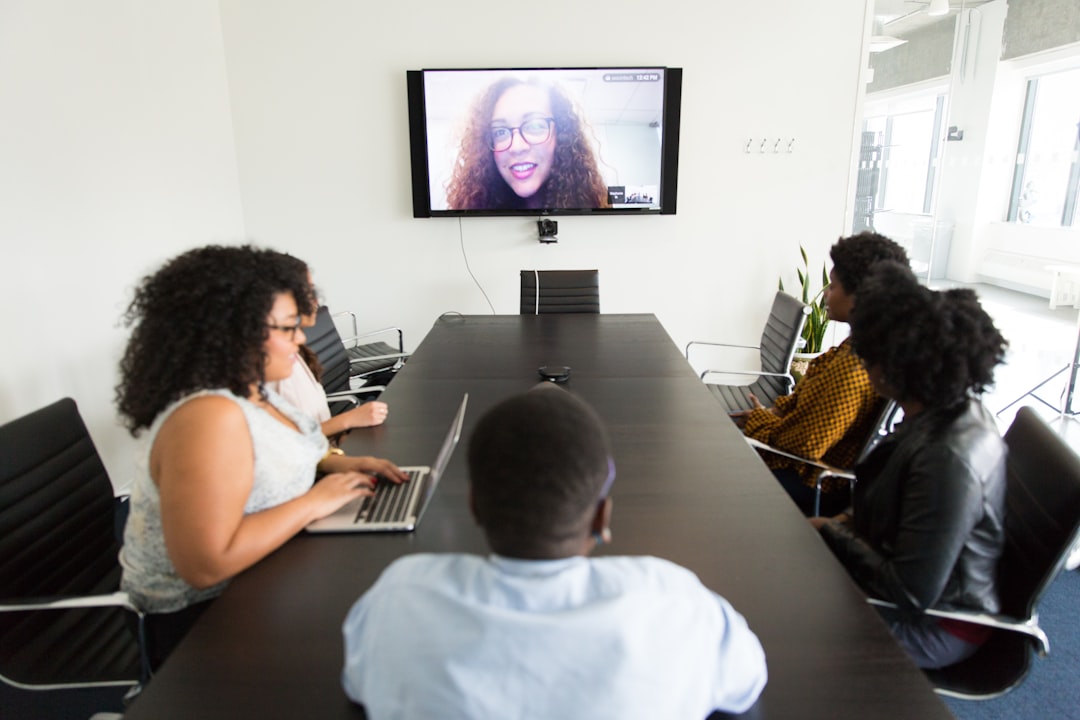
Video calls: Essential for kickoff meetings, complex discussions, brainstorming sessions, and relationship building.
Project management tools (Asana, Trello): Perfect for task assignments, deadline tracking, and project documentation.
Screen sharing: Invaluable for demos, troubleshooting, design reviews, and training.
A common mistake freelancers make is conducting entire projects through email threads that become impossible to follow. Instead, use email to summarize decisions made during calls, then track actual tasks in a project management system.
Over-Communicate Progress and Updates
In remote work, silence creates anxiety. When clients can't see you working, they may worry about progress. Combat this by proactively sharing updates, even when there's nothing urgent to report.
Implement a simple update routine:
- Daily updates: Brief status messages for active projects ("Made good progress on the homepage design today - should have mockups ready for your review by Wednesday")
- Weekly summaries: Recap completed tasks, upcoming deliverables, and any blockers
- Milestone notifications: Alert clients immediately when you complete major project phases
This doesn't mean bombarding clients with constant messages. A quick 2-3 sentence update takes minimal time but provides maximum reassurance.

Master the Art of Written Communication
When you can't rely on tone of voice or body language, your written words carry extra weight. Poor writing can make you seem unprofessional or create misunderstandings.
Follow these guidelines for clearer written communication:
Be concise but complete: Get to the point quickly, but include all necessary context. Before sending, ask yourself: "Does this message answer who, what, when, where, why, and how?"
Use formatting strategically: Break long messages into short paragraphs, use bullet points for lists, and bold key information.
Provide context: Don't assume people remember previous conversations. Include brief reminders: "Following up on our discussion about the website redesign..."
Proofread everything: Typos and grammatical errors undermine your credibility. Read messages aloud before sending.
Add warmth: Without facial expressions, text can seem cold. Include appropriate greetings, express appreciation, and occasionally share something personal to build rapport.
Compare these two messages:
❌ "Need the files. When can you send?"
✅ "Hi Sarah, hope you're having a great week! I'm ready to start on the graphics you mentioned. Could you share those brand files by Thursday? That would give me time to prepare mockups for our Friday call. Thanks so much!"
Document Everything Important
Memory is unreliable, especially when managing multiple clients and projects. Create a documentation habit that protects both you and your clients:
- Meeting notes: After every call, send a brief summary of decisions made and action items
- Project briefs: Document project scope, deliverables, deadlines, and requirements in writing
- Change requests: When scope changes, document the new requirements and any impact on timeline or budget
- Approval confirmations: Get written confirmation when clients approve deliverables
This documentation serves multiple purposes: it prevents misunderstandings, provides reference material, and protects you if disputes arise.
A simple template for meeting summaries:
Meeting Date: [Date] Attendees: [Names]
Key Decisions:
- [Decision 1]
- [Decision 2]
Action Items:
- [Task] - [Owner] - [Deadline]
- [Task] - [Owner] - [Deadline]
Next Meeting: [Date/Time]
Ask Clarifying Questions Without Hesitation
In remote work, assumptions are dangerous. When something isn't crystal clear, ask questions immediately - no matter how basic they might seem.
Instead of guessing what a client means, use phrases like:
- "Just to make sure I understand correctly..."
- "Could you help me clarify..."
- "When you say [X], do you mean [Y]?"
- "Can you provide an example of what you're envisioning?"
Asking questions demonstrates professionalism and attention to detail. Clients would much rather answer questions upfront than receive work that misses the mark.

Be Mindful of Cultural and Language Differences
Remote freelancing often means working with clients from different countries and cultures. What's considered professional in one culture might be seen differently in another.
Some considerations:
- Directness levels: Some cultures value direct communication, while others prefer more indirect approaches
- Formality: Know when to use formal titles versus first names
- Language barriers: If English isn't your client's first language, use simple words, avoid idioms, and confirm understanding
- Holiday schedules: Be aware of different countries' holidays and business hours
When working internationally, it's perfectly acceptable to ask: "I want to make sure I'm communicating in a way that works best for you. Do you prefer more formal or casual communication?"
Use Video Strategically to Build Stronger Connections
Video calls humanize remote relationships in ways that text never can. However, too many video meetings can be draining and inefficient.
Use video calls for:
- Project kickoffs: Start strong by putting faces to names
- Complex discussions: When email threads get confusing, jump on a call
- Relationship building: Quarterly check-ins to strengthen the partnership
- Presentations: When showcasing work or pitching ideas
Skip video for:
- Simple updates: Quick status reports work fine via message
- Information sharing: Sending documents doesn't require a meeting
- Solo work time: Protect your focus time from unnecessary meetings
When you do have video calls, follow these best practices:
- Test your technology beforehand
- Choose a professional background
- Look at the camera, not your own image
- Mute when not speaking if there's background noise
- Send an agenda in advance
Manage Client Expectations Proactively
Most client frustrations stem from unmet expectations. The solution? Set realistic expectations from the start and manage them continuously.
Be honest about timelines: It's better to over-deliver on a conservative estimate than to miss an aggressive deadline.
Communicate obstacles immediately: If you encounter problems that might affect delivery, tell your client right away - not the day before the deadline.
Explain your process: Help clients understand what goes into your work so they appreciate the value you provide.
Set boundaries: Clearly communicate your working hours and availability.
Here's a comparison of expectation management:
| Poor Expectation Management | Excellent Expectation Management |
|---|---|
| "I'll get it done soon" | "I'll deliver the first draft by Tuesday, March 15th at 2 PM EST" |
| Disappears for days | Sends brief updates every 2-3 days |
| Makes excuses when problems arise | Alerts client to issues early with proposed solutions |
| Says yes to everything | Sets clear boundaries and realistic commitments |
Create Communication Rituals and Routines
Consistency builds trust. Establish regular communication patterns that clients can rely on:
- Weekly progress reports: Same day, same time every week
- Monthly strategy calls: Review what's working and what needs adjustment
- Project kickoff checklist: A standardized process for starting new work
- Delivery protocol: A consistent way you share completed work
These rituals create predictability, which reduces client anxiety and positions you as organized and professional.
For example, every Friday at 4 PM, you might send a brief email with this structure:
Week in Review: ✓ Completed: [Tasks] → In Progress: [Tasks] ↑ Next Week: [Tasks] ❗ Needs Your Input: [Items]

Handle Difficult Conversations with Grace
Not every conversation will be easy. Whether it's discussing scope creep, requesting payment, or addressing criticism, remote communication requires extra care during challenging moments.
When facing difficult conversations:
Choose video over text: Tone is crucial for sensitive topics
Lead with empathy: Acknowledge the other person's perspective first
Focus on solutions: Present problems alongside proposed fixes
Stay professional: Never send messages when emotional - wait until you've calmed down
Document outcomes: Follow up difficult conversations with written summaries
For example, when addressing scope creep:
"I really appreciate your enthusiasm for adding these new features - they're great ideas! The original project scope included [X, Y, Z]. These new additions would require approximately [time/cost]. I'm happy to incorporate them, and here are two options for how we could proceed: [Option 1] or [Option 2]. Which approach works better for you?"
Leverage Async Communication for Global Teams
When working across multiple time zones, real-time communication becomes challenging. Embrace asynchronous communication strategies:
- Record video updates: Use tools like Loom to share screen recordings with commentary
- Detailed written briefs: Provide comprehensive information so people can work independently
- Clear action items: Specify exactly what you need and when you need it
- Overlap hours: Identify any overlapping working hours for urgent real-time discussions
Async communication actually improves productivity by allowing everyone to work during their peak hours and reducing meeting interruptions.
Continuously Improve Your Communication Skills
Effective communication isn't a destination - it's an ongoing practice. Regularly assess and refine your approach:
- Request feedback: Ask clients how you could improve communication
- Learn from mistakes: When miscommunications happen, analyze what went wrong
- Invest in tools: Don't let outdated technology hamper your communication
- Study successful freelancers: Observe how top freelancers communicate with clients
- Take courses: Consider communication or writing courses to sharpen your skills
Every client relationship is an opportunity to practice and improve. Pay attention to what works well and what doesn't, then adjust accordingly.
Building Long-Term Success Through Better Communication
Mastering remote communication isn't just about avoiding problems - it's about building the kind of client relationships that lead to repeat business, referrals, and a thriving freelance career. When clients feel heard, informed, and valued, they become your biggest advocates.
The freelancers who succeed long-term aren't necessarily the most talented - they're the ones who communicate exceptionally well. They make clients feel confident, eliminate uncertainty, and create smooth, enjoyable working experiences.
Start implementing these communication strategies today. Begin with just 2-3 techniques that resonate most with your situation, master them, then gradually incorporate others. Small improvements in how you communicate can create dramatic improvements in your freelance business.
Remember: every message you send, every call you take, and every update you provide is an opportunity to strengthen your professional reputation. Make communication your competitive advantage, and watch your freelance career flourish.
Content Writer
Author
Rate this article
No ratings yet. Be the first to rate!