
Master Your Time: 7 Proven Strategies for Remote Freelancers
Working from home as a freelancer offers incredible freedom, but it also presents a unique challenge: managing your time effectively without the structure of a traditional office. I've spoken with hundreds of freelancers on Freelanc.io, and the number one struggle they mention isn't finding clients or setting rates - it's managing their time efficiently.
The good news? Time management is a skill you can learn and master. In this guide, I'll share seven proven strategies that successful remote freelancers use to stay productive, meet deadlines, and maintain a healthy work-life balance.
The Time Blocking Method: Your Secret Weapon
Time blocking is perhaps the most powerful technique for freelancers juggling multiple projects. Instead of working from a simple to-do list, you assign specific time blocks to specific tasks throughout your day.
Here's how it works in practice:
- Morning (9am-12pm): Deep work on Client A's website redesign
- Afternoon (1pm-3pm): Client calls and email responses
- Late afternoon (3pm-5pm): Content writing for Client B
- Evening (7pm-8pm): Administrative tasks and invoicing

Sarah, a graphic designer from Toronto, shared her experience: "Before time blocking, I'd constantly switch between projects, thinking I was being productive. In reality, I was losing hours to context switching. Now I batch similar tasks together and my output has doubled."
The key is treating these blocks as non-negotiable appointments with yourself. When it's time for deep work, close your email, silence notifications, and focus solely on that one project.
The Two-Minute Rule for Small Tasks
David Allen's two-minute rule is deceptively simple: if a task takes less than two minutes, do it immediately rather than adding it to your to-do list.
This applies to:
- Responding to quick client messages
- Filing invoices
- Updating project status
- Scheduling meetings
- Backing up important files
These small tasks accumulate quickly. By handling them immediately, you prevent them from cluttering your mental space and your task list. However, be careful not to let two-minute tasks interrupt your focused work blocks. Save them for transition periods between major tasks.
The Pomodoro Technique for Sustained Focus
The Pomodoro Technique breaks work into 25-minute focused intervals (called "pomodoros") followed by 5-minute breaks. After four pomodoros, take a longer 15-30 minute break.
This technique works exceptionally well for freelancers because:
- It creates urgency and helps you avoid perfectionism
- Regular breaks prevent burnout
- It makes large projects feel manageable
- You can easily track how long tasks actually take
Mark, a software developer who specializes in web applications, tracks his pomodoros for each client. "It helps me provide accurate time estimates for future projects and ensures I'm billing fairly. Plus, knowing I only need to focus for 25 minutes makes starting much easier."
Setting Boundaries with Clients and Family
One of the biggest time management challenges for remote freelancers isn't the work itself - it's the constant interruptions and blurred boundaries between work and personal life.
Establish clear boundaries by:
- Communicating your working hours to clients upfront
- Creating a dedicated workspace that signals "work mode" to family members
- Setting response time expectations (e.g., "I respond to emails within 24 hours")
- Using status indicators on communication platforms
- Scheduling "office hours" for client calls rather than accepting ad-hoc requests
Jenna, a content writer and mother of two, implemented a traffic light system at home. "When my office door has a red sign, the kids know I'm in a client meeting. Yellow means they can knock if it's important. Green means I'm available. It's simple but effective."
The Weekly Review: Your Planning Powerhouse
Successful freelancers don't just plan their days - they plan their weeks. Every Friday afternoon or Sunday evening, spend 30-60 minutes reviewing the past week and planning the next one.
Your weekly review should include:
- Reviewing completed work: What went well? What took longer than expected?
- Checking upcoming deadlines: What's due in the next two weeks?
- Assessing workload: Are you overcommitted or do you have capacity?
- Scheduling time blocks: Assign major tasks to specific days
- Identifying potential problems: Are there conflicts or gaps?
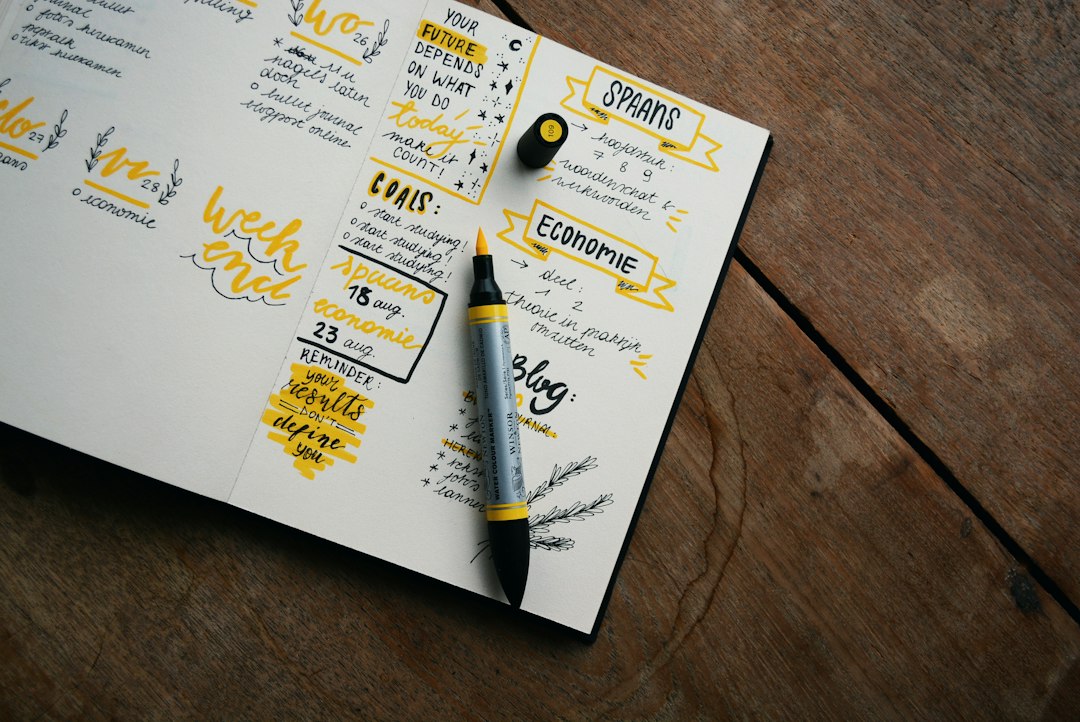
This bird's-eye view prevents last-minute scrambles and helps you spot problems before they become emergencies. It also gives you the confidence to take on new projects because you know exactly what your capacity looks like.
Batch Processing: The Efficiency Multiplier
Batch processing means grouping similar tasks together and completing them in one focused session. This minimizes context switching and takes advantage of momentum.
Consider batching:
- Content creation: Write multiple blog posts or social media updates in one session
- Client communication: Set specific times for checking and responding to emails
- Administrative work: Handle all invoicing, expense tracking, and bookkeeping together
- Learning and development: Dedicate specific blocks to skill development
- Meetings: Schedule all client calls on the same day when possible
The efficiency gains are remarkable. Instead of spending 10 minutes getting into "writing mode" five separate times, you do it once and maintain that flow state for hours.
Using Technology Wisely (Not Excessively)
The right tools can supercharge your time management, but too many tools become a distraction. Here's a streamlined tech stack that works for most freelancers:
| Tool Type | Purpose | Example Options |
|---|---|---|
| Time Tracking | Monitor hours per project | Toggl, Harvest, Clockify |
| Project Management | Organize tasks and deadlines | Trello, Asana, Notion |
| Calendar | Schedule blocks and meetings | Google Calendar, Calendly |
| Communication | Centralize client messages | Slack, Freelanc.io messaging |
| Focus | Block distractions | Freedom, Forest, Focus@Will |
The key is choosing one tool per category and mastering it rather than constantly switching between different apps. Alex, a virtual assistant managing 12 clients, keeps it simple: "I use Google Calendar for time blocking, Trello for project tracking, and Toggl for time tracking. That's it. Every new tool I tried just added complexity without real benefits."
The Reality of Time Management: Progress, Not Perfection
Here's the truth that many productivity articles won't tell you: some days won't go according to plan. Clients will have emergencies. Technology will fail. You'll have off days where focus is impossible.
The goal isn't perfect execution - it's consistent improvement. Track what works for you, adjust what doesn't, and be patient with yourself as you develop these habits.
Start with one strategy from this list. Master it over two weeks, then add another. Within a few months, you'll have a personalized time management system that supports your unique working style and life circumstances.
Remember, effective time management isn't about squeezing more work into your day - it's about making intentional choices about how you spend your limited time and energy. It's about creating space for both professional growth and personal well-being.
What time management strategy will you implement first? The freelancers who thrive on Freelanc.io aren't necessarily the ones who work the longest hours - they're the ones who work the smartest. Your future self will thank you for the systems you build today.
Content Writer
Author
Rate this article
No ratings yet. Be the first to rate!